Sequence database setup: Generic database
A very simple configuration is sufficient for the common case of a sequence database where all the entries have the same taxonomy and there is no full text reference file. To add such a database to Mascot, the requirements are:
- A local copy of the database in FASTA format
- Each sequence must have a unique identifier (accession string)
Examples are shown below. This guide is also available on YouTube: Mascot Server: Setting up a custom database.
Download a FASTA file
Mascot can search both protein and nucleic acid sequences. For a PMF search, the database should be either protein sequences or nucleic acid sequences equivalent to proteins, such as mRNA sequences. For a search of MS/MS data, the sequences can also be EST or genomic DNA data. The relative merits of searching protein, EST and DNA sequences are discussed in TRENDS in Biotechnology 19(10) S17-S22(2001).
In all cases, a local copy of the database in FASTA format is required. A suitable file can usually be downloaded from the NCBI web site, and a good place to start is NCBI Taxonomy.
Create the database definition
In Database Manager, choose Create new and “Use predefined definition template”. Select either simple_AA_template and simple_NA_template as the template. Follow the wizard steps and upload the FASTA file.
Parse rules
Every entry in the database must have a unique accession string. Mascot Database Manager makes it easy to select suitable parse rules by displaying examples of what would be matched by the available rules.

UniProt (SwissProt and Trembl) and NCBI (Genbank) have relatively complicated title lines, but parse rules for these are pre-defined in Mascot. In most other cases, a simple rule that takes everything between the ">" symbol and the first space as the accession will work. Everything after the first space can be treated as the description. These are the rules used in Database Manager predefined definitions simple_AA_template and simple_NA_template.
">\([^ ]*\)"
">[^ ]* \(.*\)"
In the unlikely event that you need to create a new parse rule:
- If a rule looks like it should work, and doesn’t, it may be because the space is actually a tab. If
this is the case, then you can use a character class that includes or excludes all the printing characters:
">\([!-~]*\)"
">[!-~]*[^!-~]\(.*\)"
- Don’t make a parse rule more precise than it needs to be. It is more likely to go wrong if there is some change to the FASTA title syntax.
- Mascot parse rules are Basic Regular Expressions, as used in grep, not Extended Regular Expressions, as used in Perl.
Protein Database Example
See also UniProt Proteomes.
We’d like a protein database for Chinese hamster (Cricetulus griseus), because this important animal is not yet well represented in SwissProt. In the NCBI taxonomy browser, search for “Chinese hamster”.
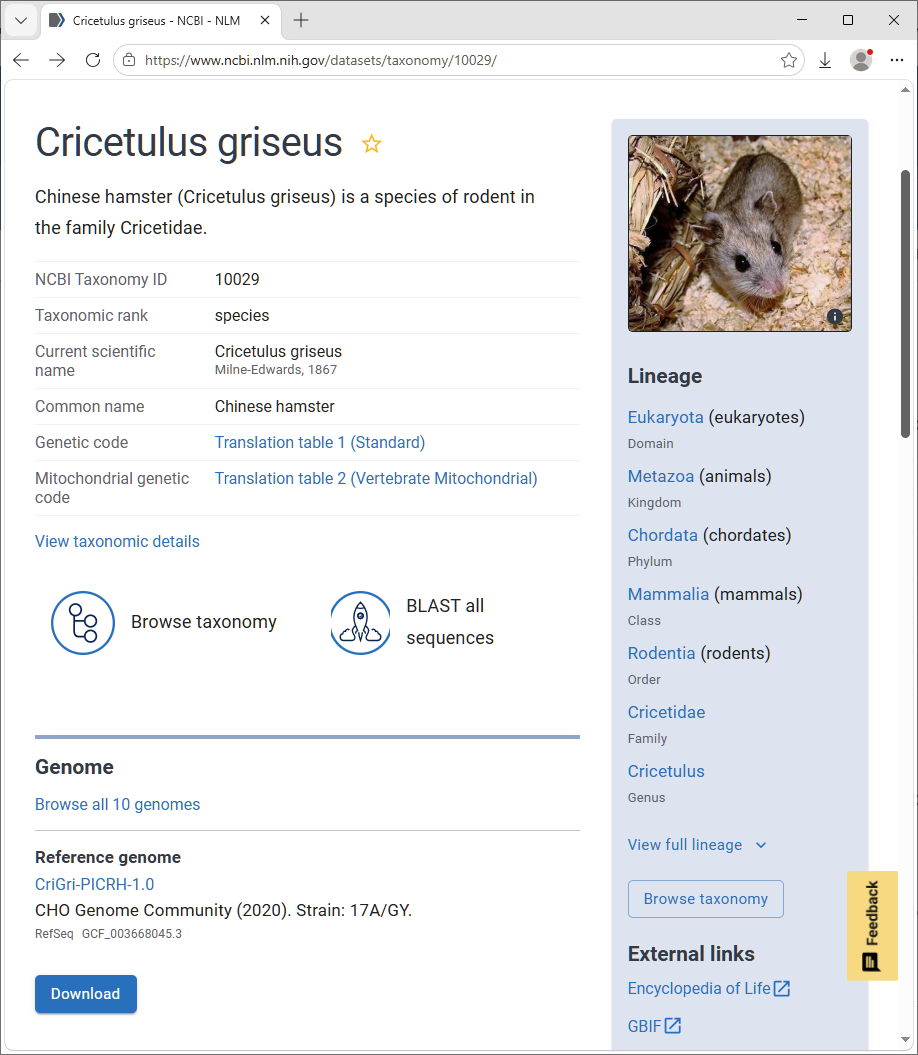
The species page has a link to a reference proteome, plus 10 other genomes. Follow the link to the reference proteome, choose file source All, and file type Protein (FASTA).
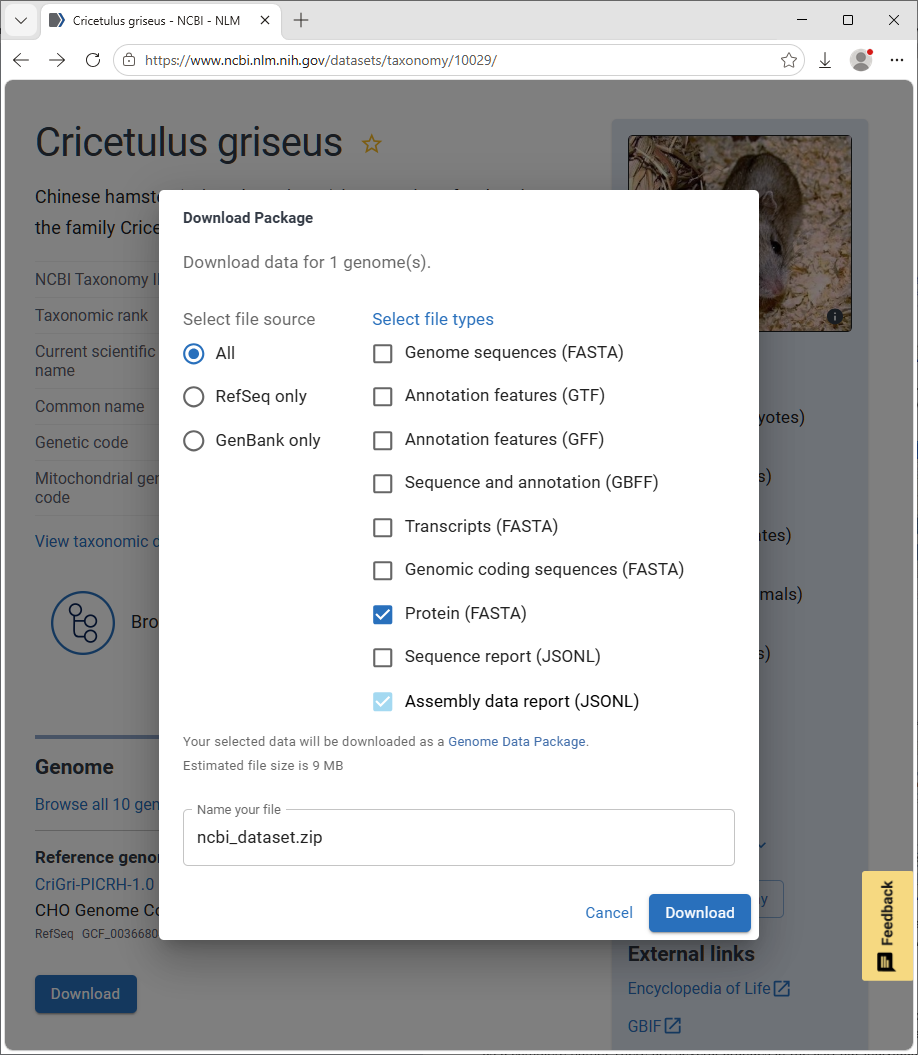
The zip file contains a FASTA file suitable for searching with Mascot. For a protein FASTA file downloaded from NCBI, create a new custom definition using NCBI_AA_template as the template.
EST Database Example
We’re working on a disease that affects oranges, but this fruit is poorly represented in the protein databases. In the NCBI taxonomy browser, search for “citrus”. There are several oranges in the list, but individual strains, such as Seville orange, have few sequences of any type.
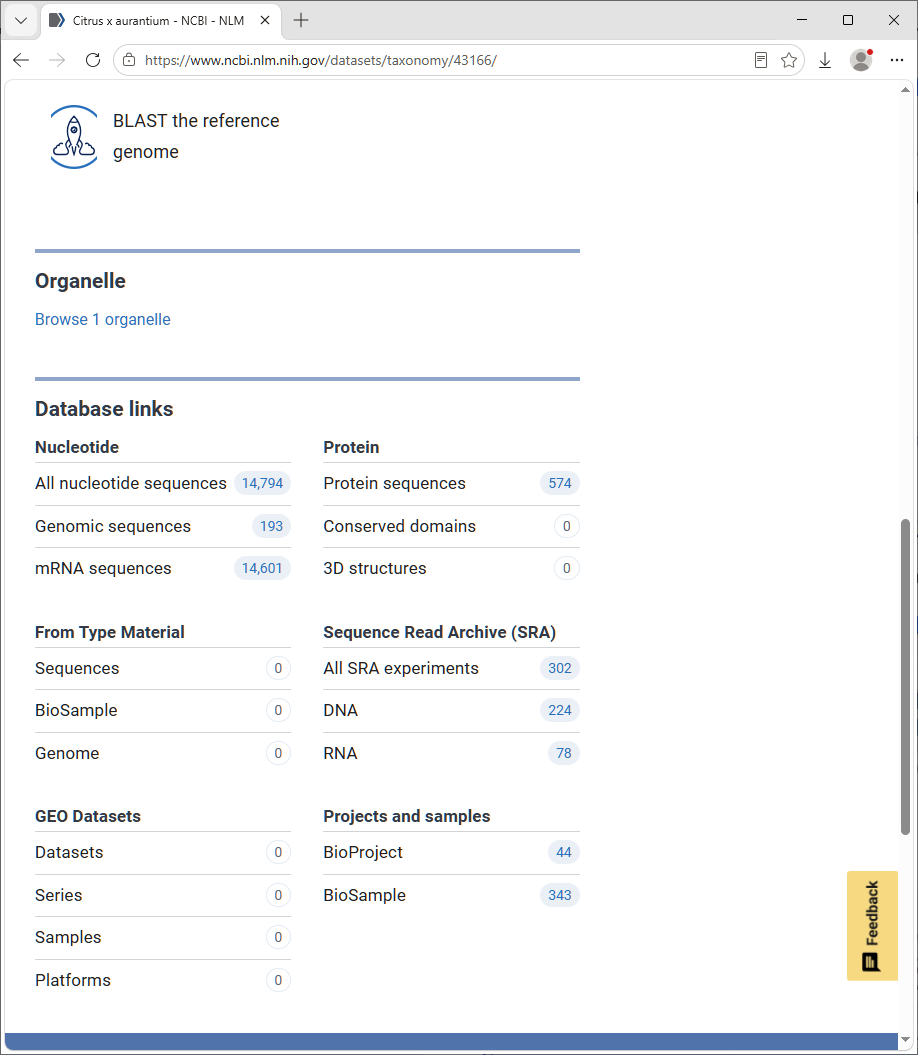
Going up one level, to citrus, is more fruitful, showing more than half a million EST sequences. Follow the “All nucleotide sequences” link to the first page of a listing of these entries. From the Send to drop-down list, choose File and FASTA format
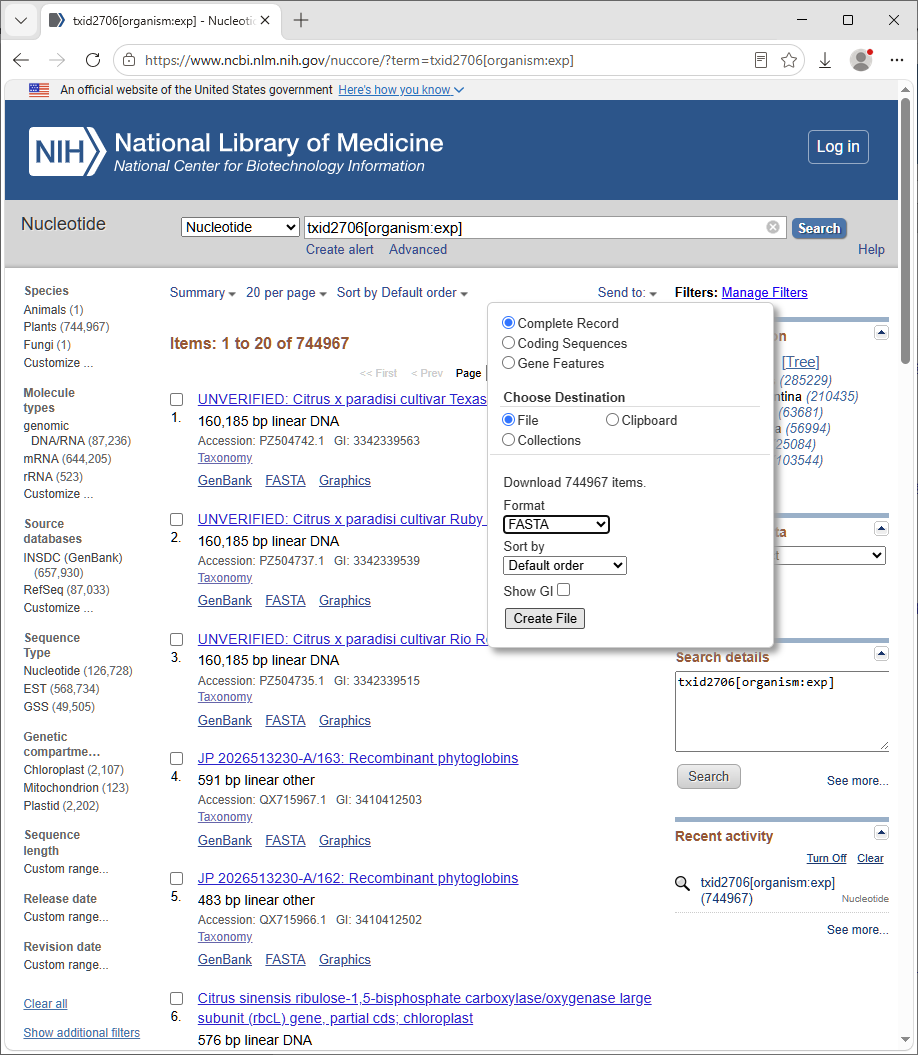
This is a FASTA file suitable for searching with Mascot. For a nucleic acid FASTA file downloaded from NCBI, create a new custom definition using NCBI_NA_template as the template.
Genome Database Example
Our organism of interest is Helicobacter pylori and we want to search the genome of a particular strain, HPAG1. In the NCBI taxonomy browser, search for Helicobacter pylori. Follow the link to “Browse all genomes” and find Helicobacter pylori HPAG1.
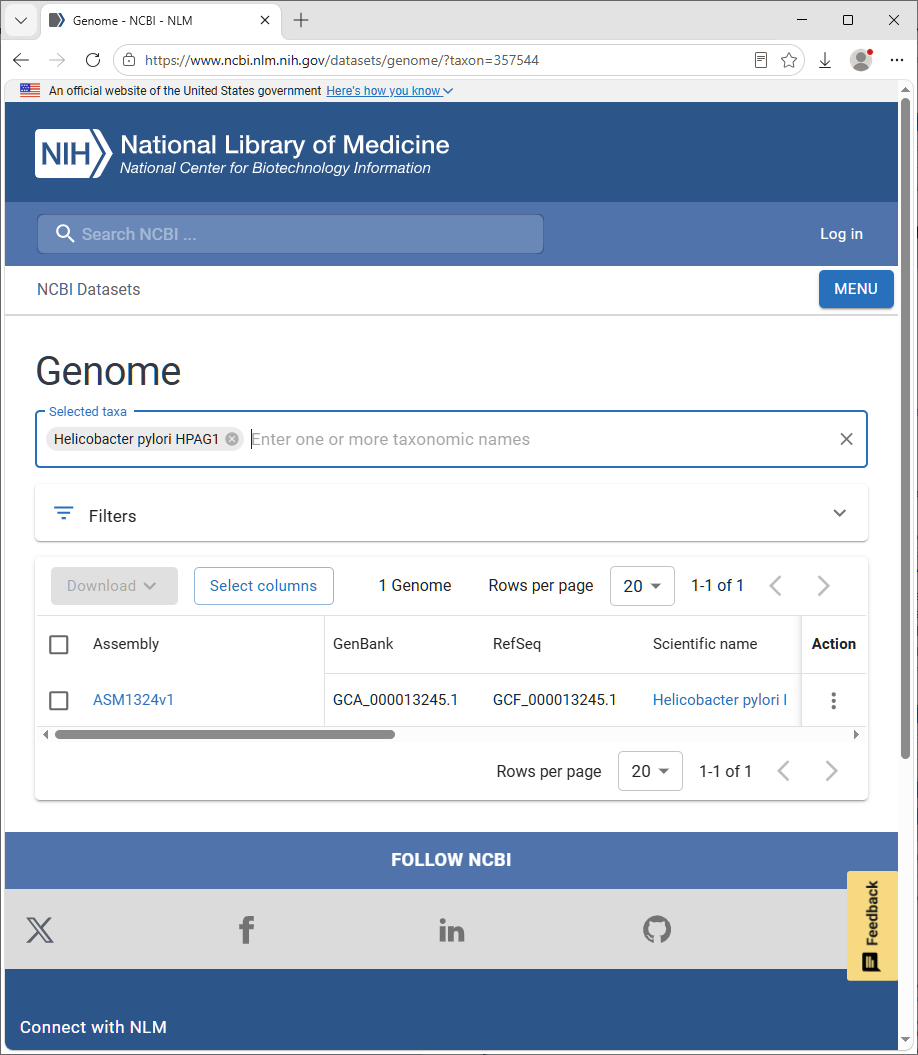
There are many routes to get to the genome sequence data and there is a choice of assemblies. In this particular case, scroll down to the list of chromosomes.
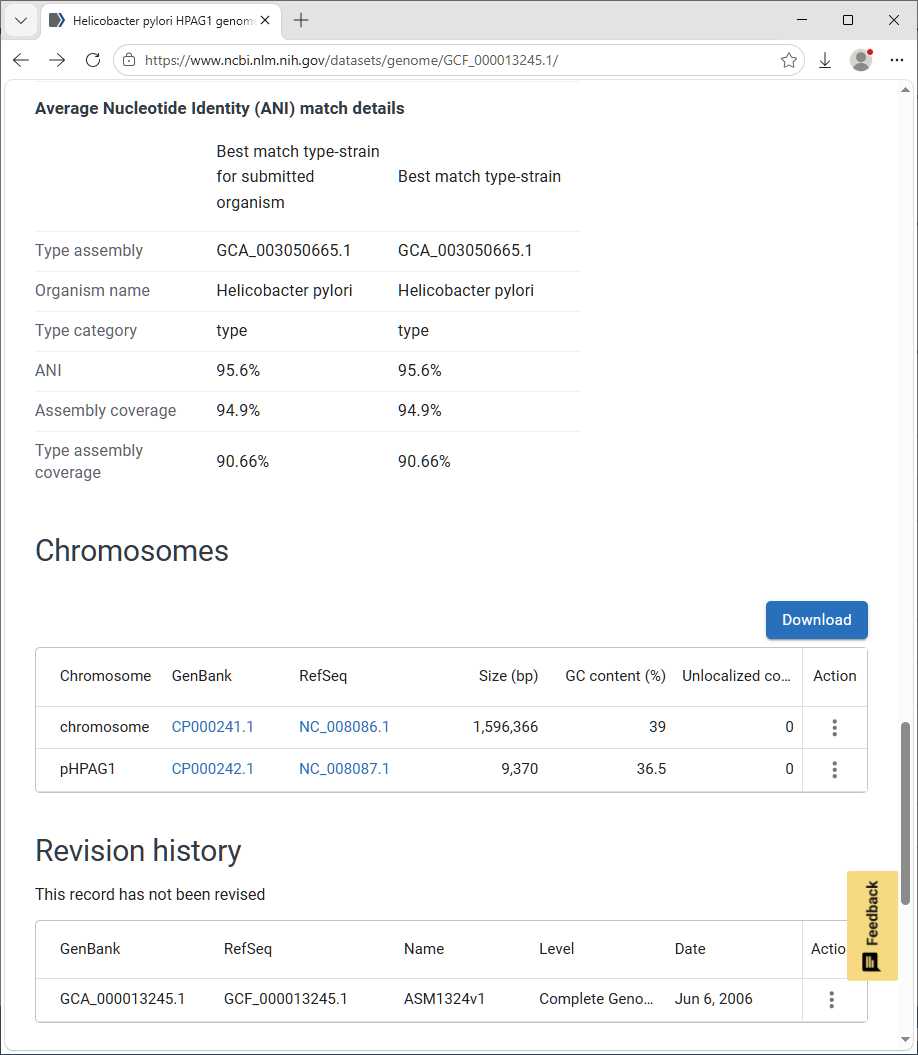
We might decide to select the NCBI Reference Sequences for the chromosome and plasmid. Click on the GenBank link, then from the Send to drop-down list, choose File and FASTA format.
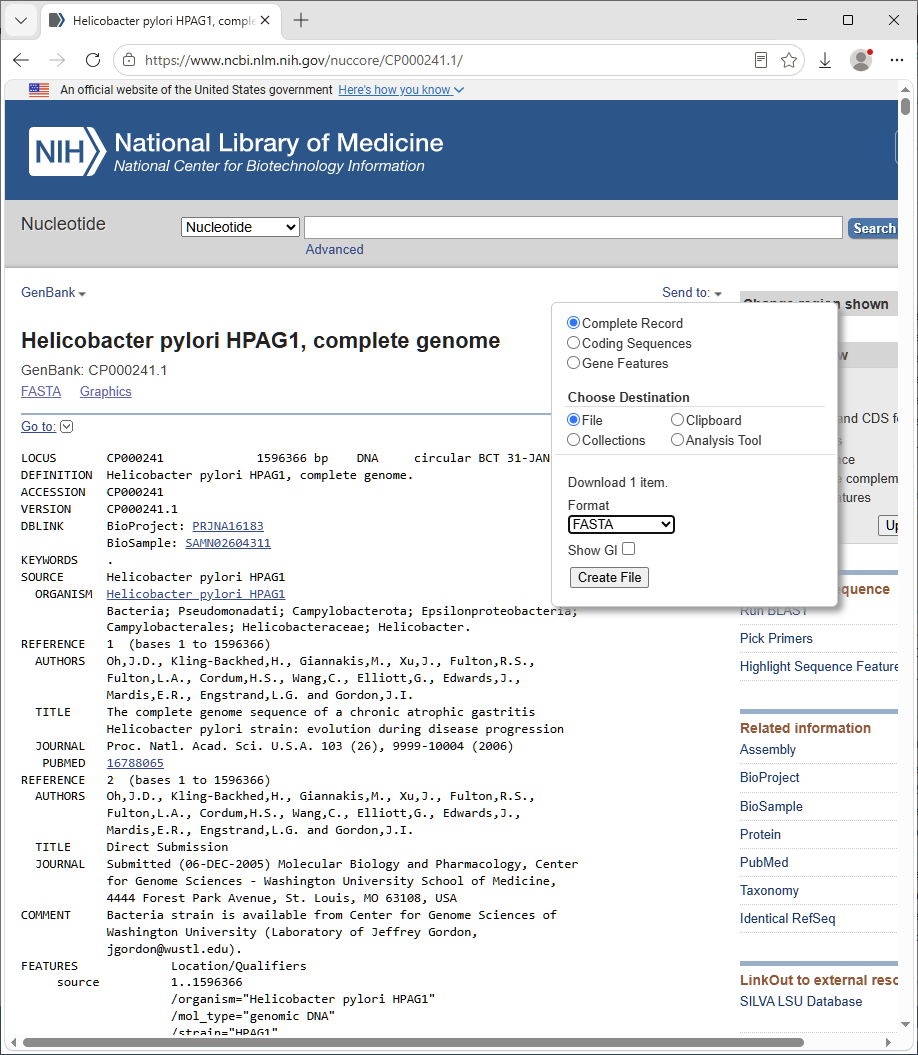
The assembled chromosome is a single sequence of length 1,596,366 bases. This is not ideal for a Mascot search, because it would make the reports very unwieldy. For efficient searching, genomic DNA needs to be split into shorter segments, with small overlaps to ensure no peptides are lost because they span a break. Ideally, you also want to maintain the original forward and reverse frame numbering from segment to segment.
A simple Perl script to split a long sequence is included with Mascot Server: splitter.pl.gz. On Windows, use a program like 7-Zip to uncompress the file. On Linux, use gunzip.
Usage information can be obtained by executing splitter.pl with no arguments. On Windows, we recommend Strawberry Perl to run the script. On Linux, Perl is typically installed as part of the operating system.
The output of the splitter is a FASTA file suitable for searching with Mascot. For genome sequences that have been split into segments, create a new custom definition using simple_NA_template as the template.